

DRAFT
TB 9-2320-364-13&P-1
AC OPTIC RIBBON REPLACEMENT - Continued
INSTALLATION
PLSAC113
NOTE
Perform Step 1 if bezels were removed.
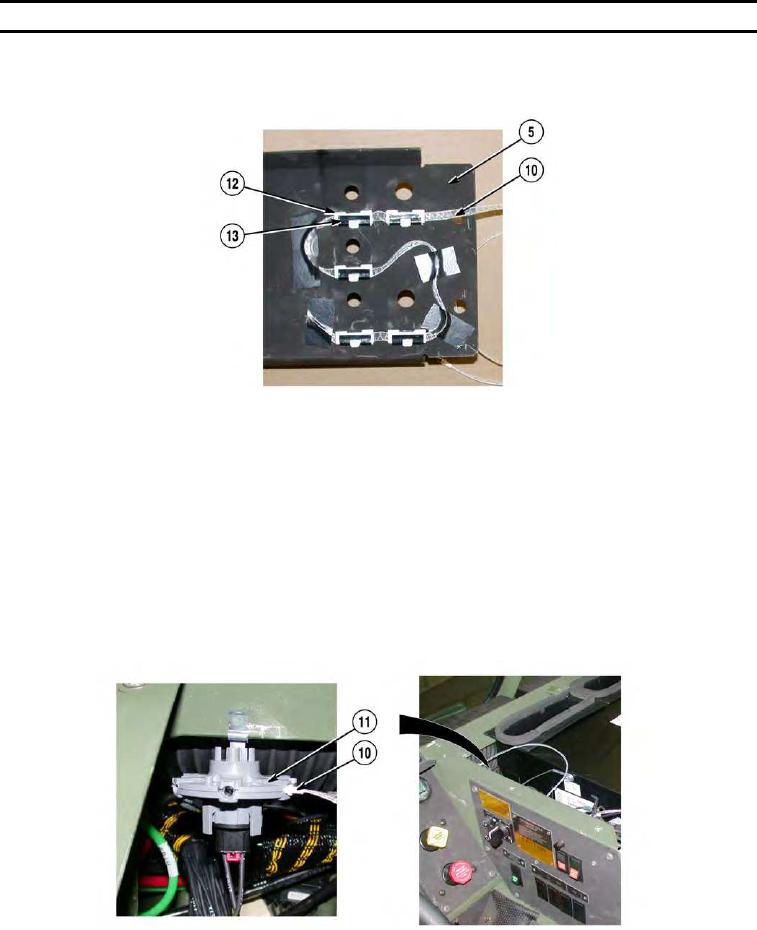
1. Install five bezels (13) on center cover (5).
NOTE
Route optic ribbon as noted prior to removal.
Use electrical tape as needed to secure optic ribbon to center cover.
2. Install five identification markers (12) of optic ribbon (10) in five bezels (13).
- - - - - - - - - - - - - - - - - - - - - - - - - - - - - - - - - - - - - -
PLSAC112
3. Plug optic ribbon (10) into light source (11).
0041-4