

TM 5-3990-263-13&P
0006
OPERATION - Continued
NOTE
Dashboard parking brake indicator will go out when PARKING BRAKE control is released.
15.
Push in PARKING BRAKE control (Figure 8, Item 1) and release service brake pedal (Figure 8, Item 2) when
back edge of the BAP touches the ground.
16.
Continue unloading while allowing vehicle to roll forward.
17.
Release joystick (Figure 8, Item 20) when front end of the BAP is about 1 ft. (30 cm) off the ground.
18.
Set HIGH IDLE switch (Figure 8, Item 19) to OFF position.
19.
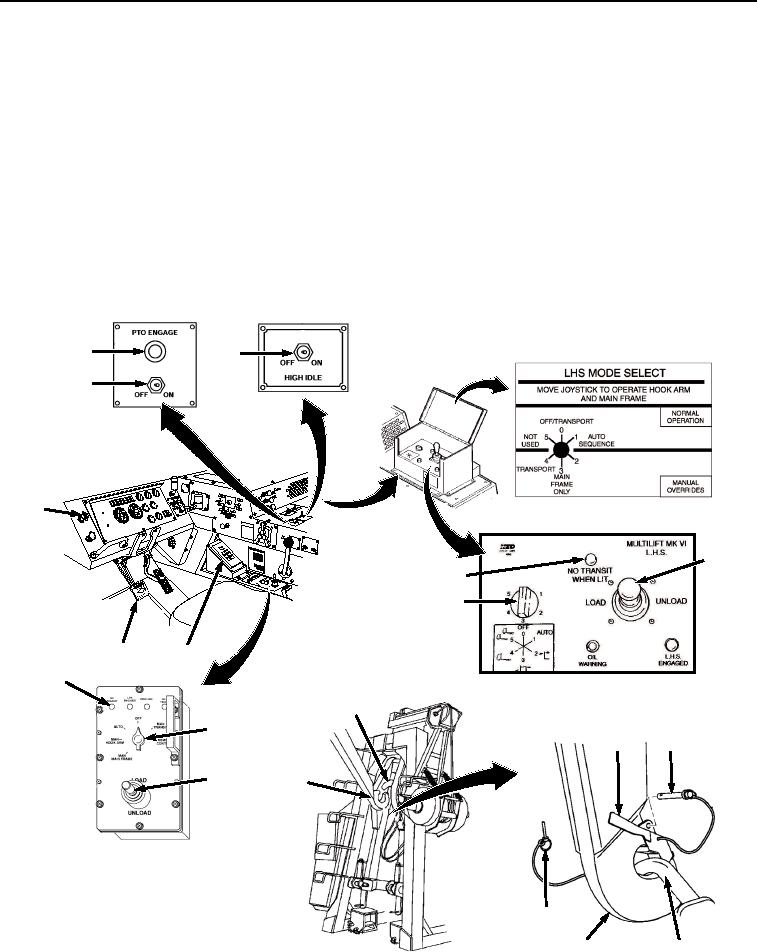
Move joystick (Figure 9, Item 20) to UNLOAD and continue unloading until the BAP rests on the ground and
weight of load is off LHS hook (Figure 9, Item 21).
18
19
17
JACO
BS
1
ENGIN
E
BRAK
E
ANALOG CBT CONTROL PANEL
CAUT
ION
XHA
OE U
ILER Y
TRA PILG
RSUPND
N
ANIOTFORDPARK
ILA
M
US
HTO
20
26
16
2
3
26
25
16
24
23
20
21
DIGITAL CBT
CONTROL PANEL
22
21
25
Figure 9.
Cab LHS Controls.
03/15/2011Rel(1.8)root(opusualwp)wpno(O01055)